Your own AI workspace.
On your own machine.

JARVIS is a downloadable AI workspace and agent harness. Bring whichever model you want, keep its memory in a folder of markdown you own, and run the whole thing locally.

Free and MIT licensed · No account, no cloud, no telemetry
Windows 10/11 · macOS on Apple Silicon
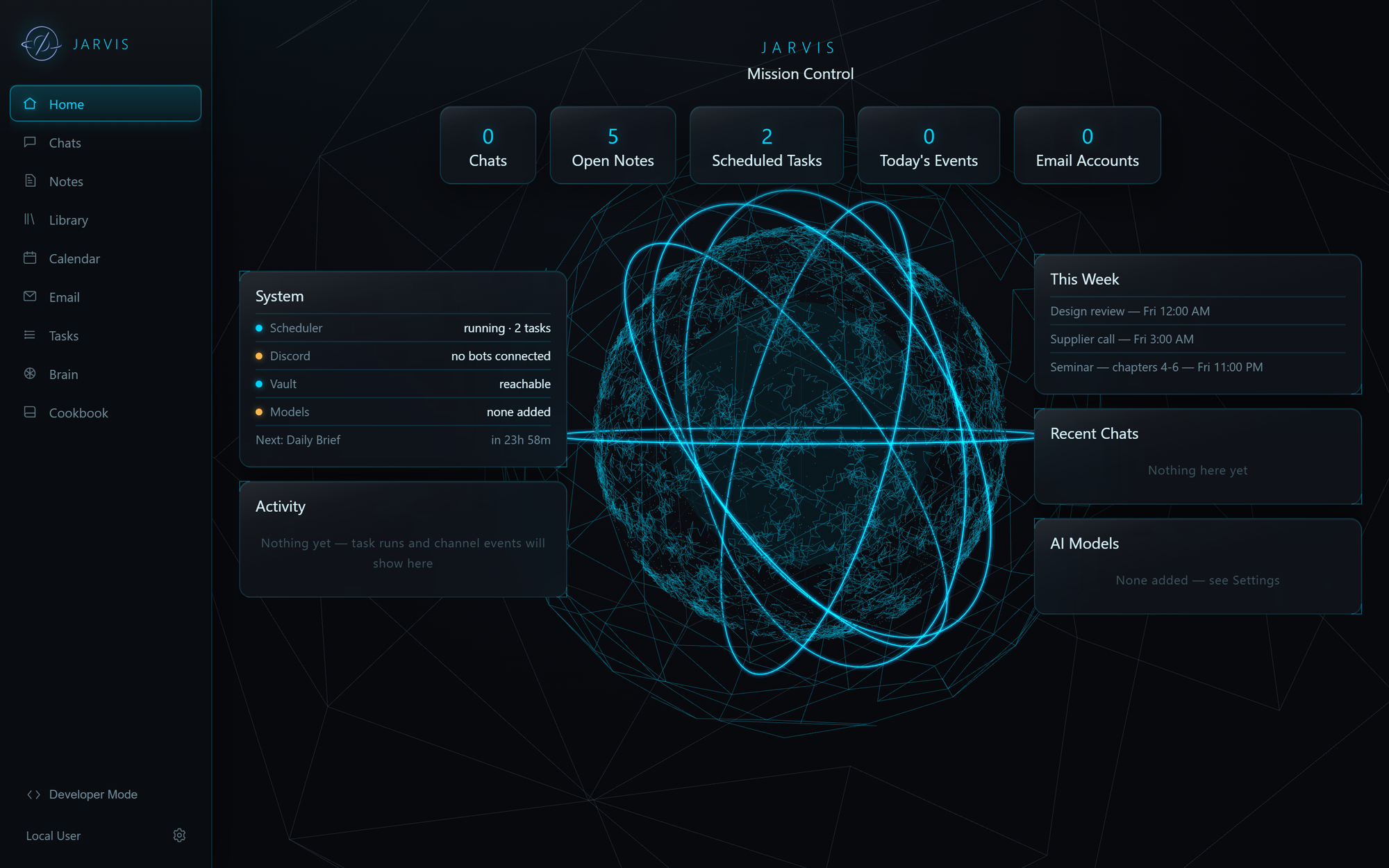
JARVIS Mission Control home screen

What it does

Everything runs on your machine. Your conversations, notes and credentials never leave it unless you point a model at a cloud provider yourself.

Bring your own model

Claude via the Agent SDK, any OpenAI-compatible endpoint, Ollama, or the built-in local engine. Choose per conversation — no default, no lock-in.

Memory you can read

Long-term memory is a folder of markdown notes, not a database. Open it in Obsidian, edit it by hand, keep it in your own backups.

One memory, not two

Checkbox items in your vault's task list sync into Notes on every launch. Tick one in the app and it ticks in the file.

Mission control

Live system health, what's scheduled next, and a real activity feed of what the system has actually been doing.

Scheduled automations

Run your own prompts on a timer, or built-ins like a Daily Brief that folds in your calendar, unread mail and stale items. Deliver the output to Discord.

Skills

Reusable SKILL.md procedures the model follows. Portable files — write your own, or import someone else's.

Reach it anywhere

Optional remote access over Tailscale with real HTTPS and a required login. Nothing is exposed to the public internet.

Extend it yourself

Describe a tab you want and JARVIS builds it, using the same file conventions the built-in tabs use. Ready-made tabs are one click.

Stays out of the way

Closing the window keeps it running in the tray, so scheduled tasks and remote access keep working. Updates install themselves on quit.
A look around

Screenshots from a real install, not mockups.

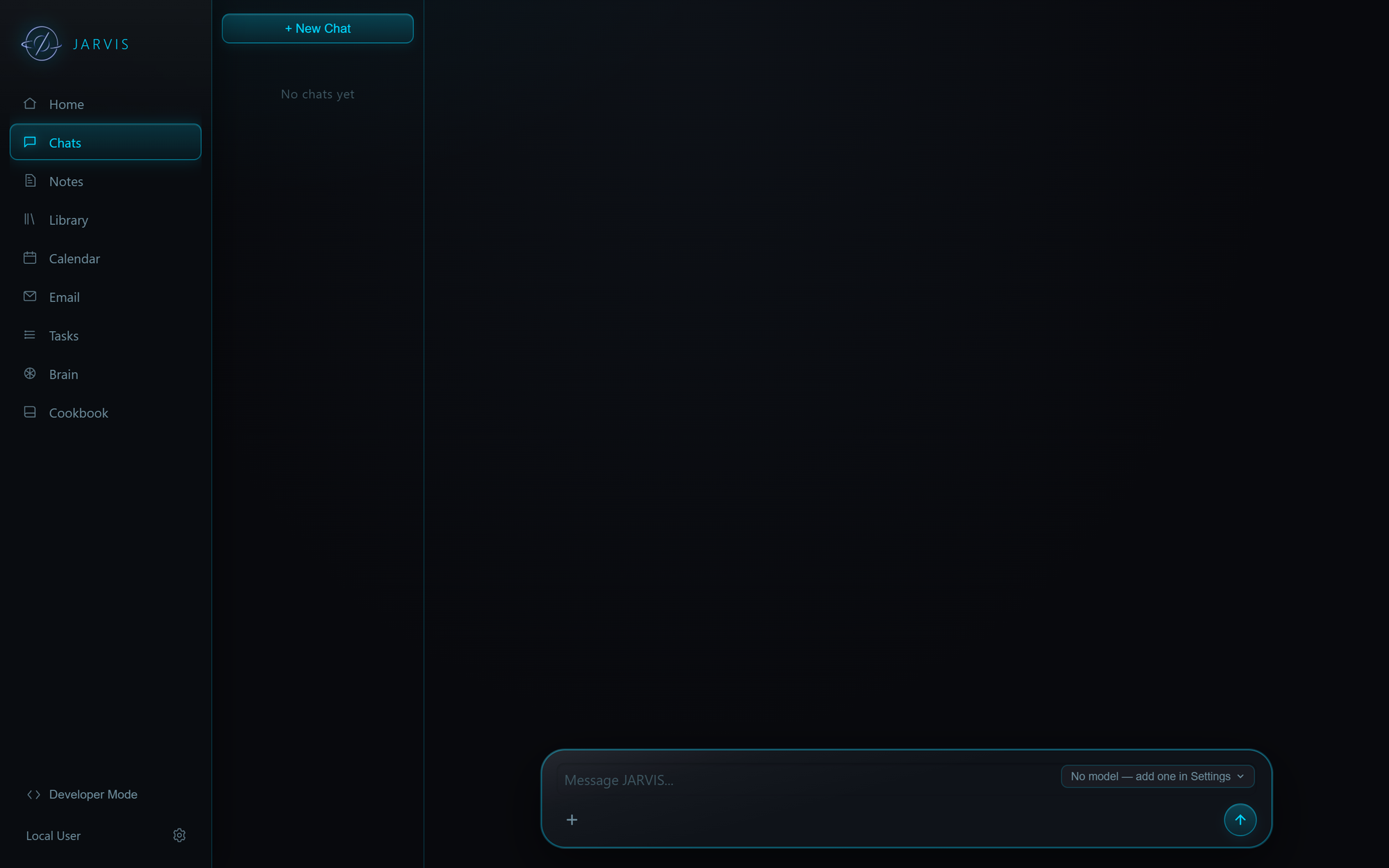
Chat

A focused conversation column with a floating composer. Attach files, scope a chat to a folder on disk, pull in a saved document or skill, and switch model mid-thread.

The chat view
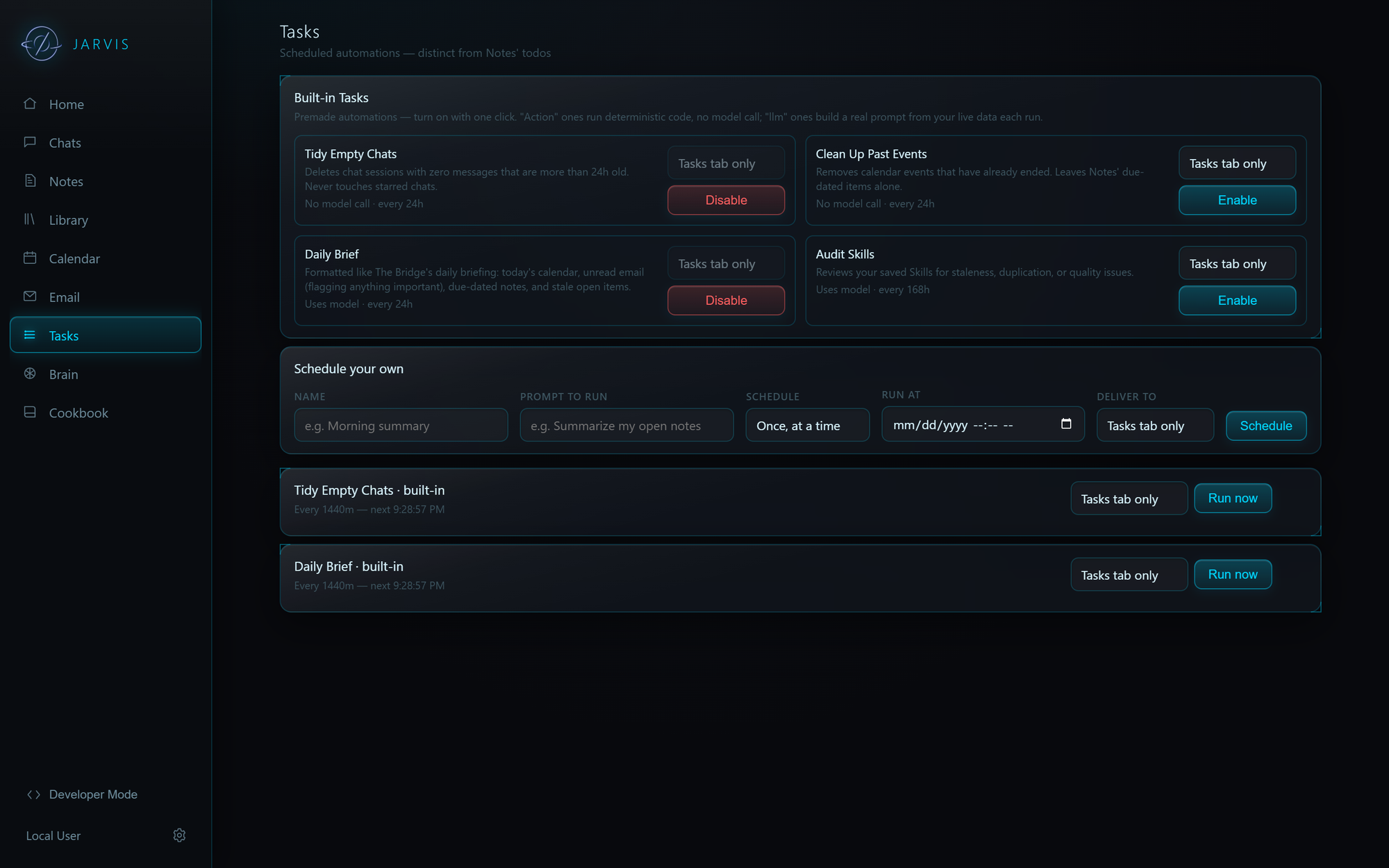
The tasks view

Tasks

Turn on a built-in automation with one click, or schedule your own prompt. Each run's output is kept, and can be delivered straight to a channel instead of sitting in a tab.

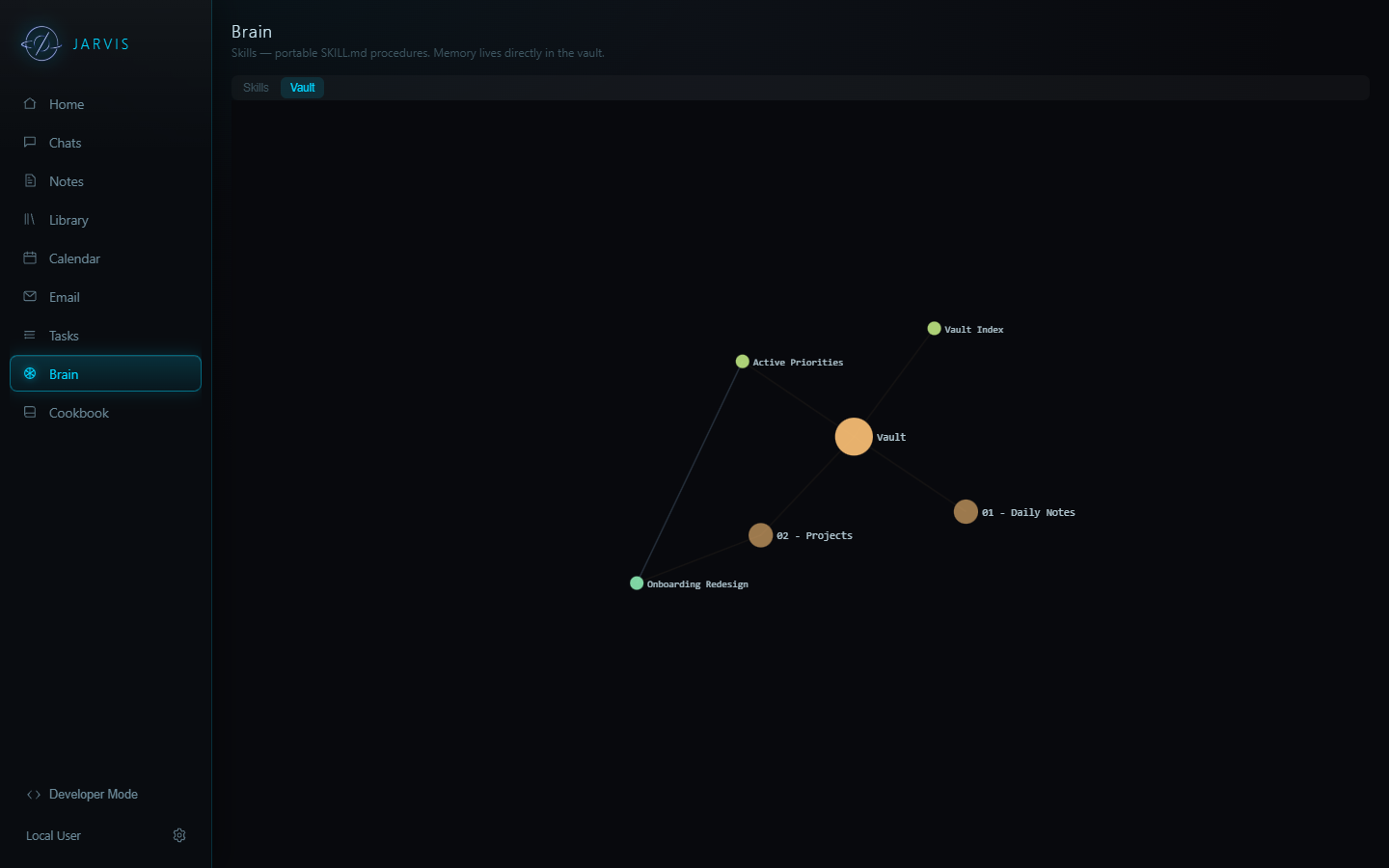
Your vault, mapped

Memory lives as linked markdown. The Brain tab renders it as a graph you can browse, and the same notes are what the model searches when you ask it something.

The vault graph
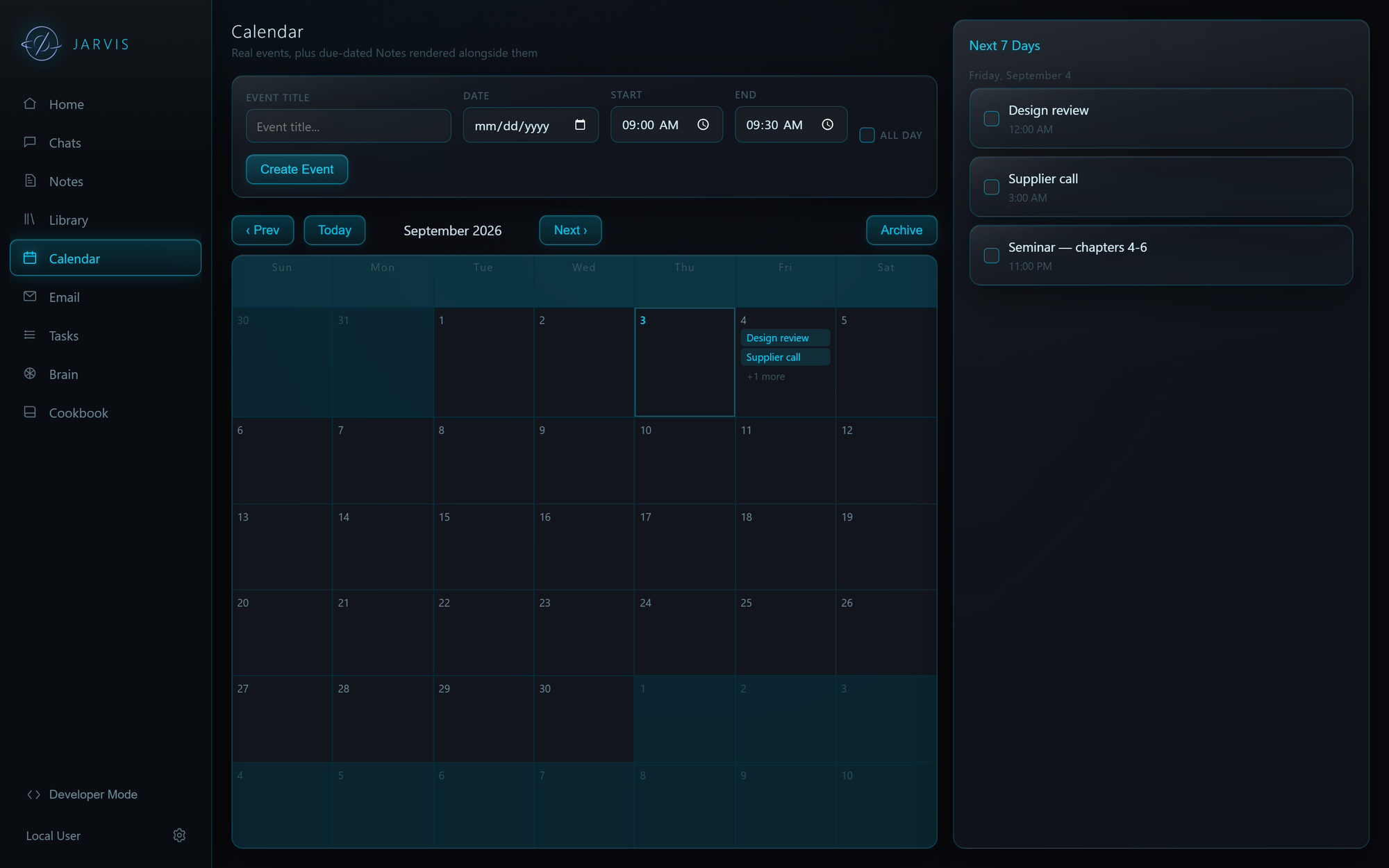
The calendar view

Calendar & Notes

Due-dated notes render alongside real events, with CalDAV and iCal sync for the calendars you already keep.

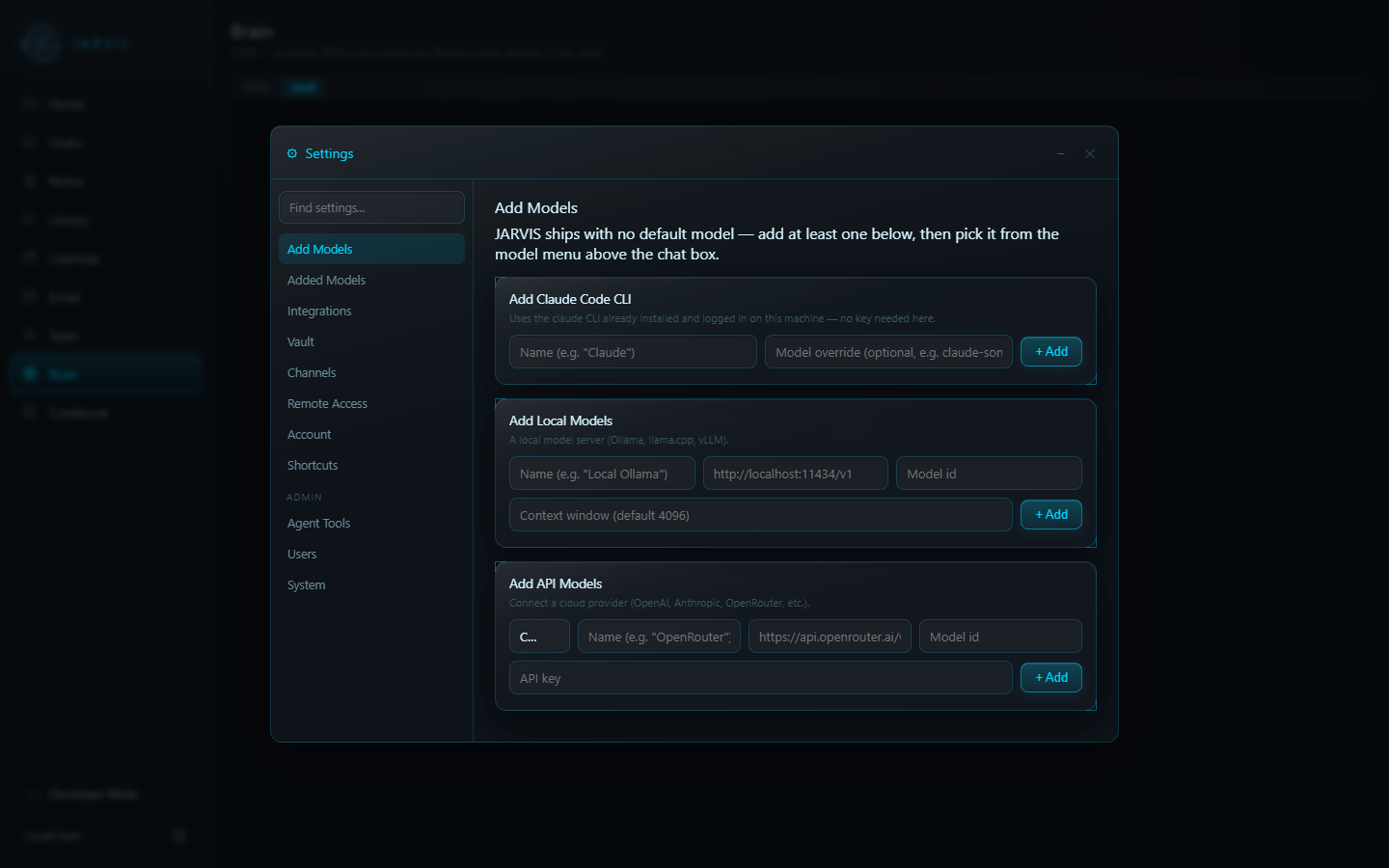
Connect your models

Add a Claude CLI, a local server, or any API provider. Per-conversation choice means you can keep cheap local models for routine work and reach for a bigger one when it matters.

The settings window

Getting started

One installer. Nothing else to set up — a complete Python runtime ships inside the app, so it works on a machine that has never had Python on it.

Download and run the installer Grab JARVIS-Setup.exe from the latest release and run it. It installs for your user only, so no admin rights are needed.
Point it at a vault Use the one it creates, choose an Obsidian vault you already have, or answer a few questions and let it build one shaped around you.
Add a model Settings → Add Models. JARVIS ships with none on purpose — connect Claude, a local model, or an API provider, then pick it above the chat box.
Heads up: the builds aren't code-signed yet. On Windows, SmartScreen warns on first run — choose More info → Run anyway. On macOS, Gatekeeper blocks it — right-click the app and choose Open, or allow it under System Settings → Privacy & Security. The macOS build is Apple Silicon only; Intel Macs aren't supported yet.